Editing with Workflow
Editing with Workflow
What is Workflow?
Workflow is a plugin that's been integrated into the ECL website to help manage the way editors create and update site content. It introduces a review and approval process before changes become visible on the live site to ensure the site's design and content formatting is applied correctly and consistently.
Workflow Users
Within the workflow process there are two types of users:
1. Editors
These are the users making new pages and editing existing pages.
2. Publishers
These are the users reviewing and publishing the changes made by editors.
Creating a New Entry
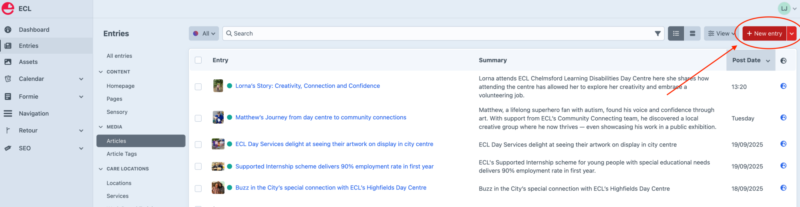
When creating a new entry (think of an entry as a page in the site) you hit the red "Create Entry" button to generate a new page (pictured below).
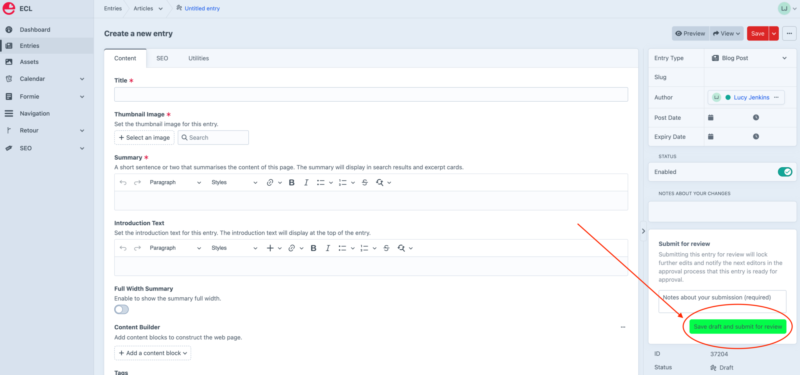
Populate the page with content e.g. text, images, etc. and when you are finished hit the green "Save draft and submit for review" button that's in the right-hand sidebar (you'll also need to add some text in the Notes field explaining the reason for creating your new page).
A publisher reviews your new page and either approves and publishes it or rejects it. If they reject it they will explain why so that you can handle and changes needed and then repeat the save draft and submit for review process.
Once the publisher is happy with your work they'll publish it and it'll become visible on the live site.
SEO
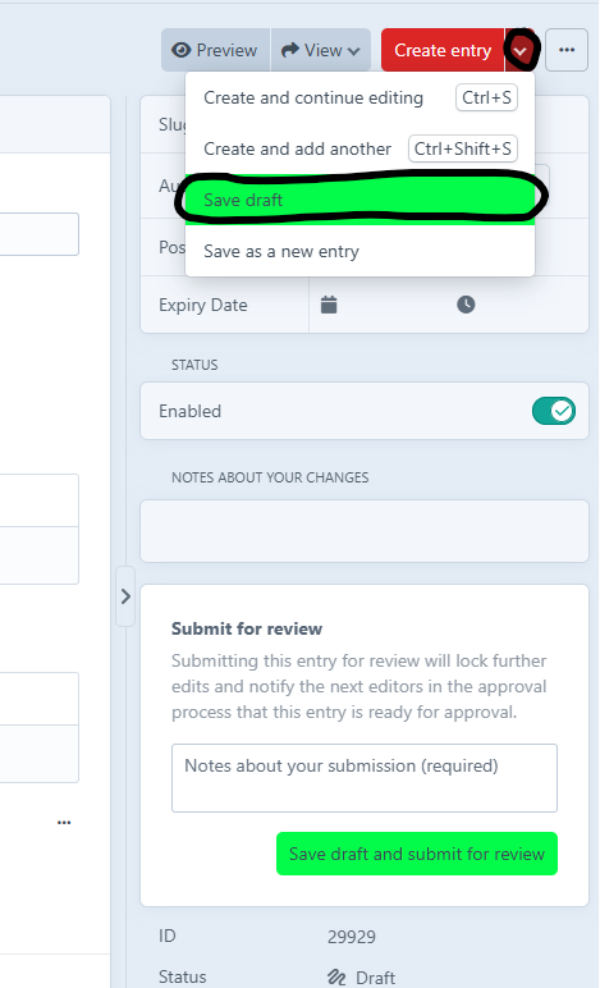
If you are creating a new page, you will not be able to to edit the SEO field as, until the page is submitted for review or saved, the page doesn't 'exist'. To get past this you can open the drop down from the red 'create entry' button and select the green 'save draft' button (pictured below)
You should then be able to edit the SEO section. Once you've finished your edits, you submit for review as usual.
If this isn't working, you can leave the SEO section blank and put in the notes when you submit that you haven't been able to do it.
Editing an Existing Entry
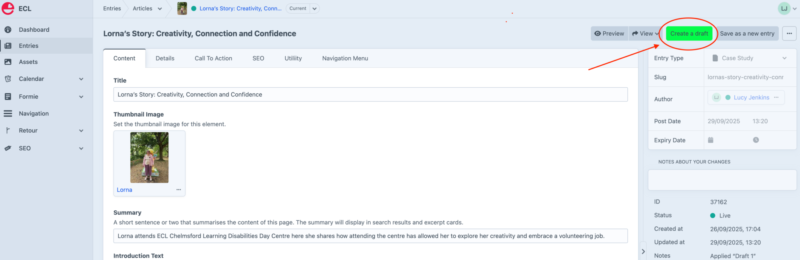
To edit an existing page you must first create a draft version of the entry by hitting the green "Create draft" button.
A draft is a copy of an entry that can be edited without affecting the live version of the page.
Once the draft has been created you can edit the page to make whatever changes you need and when complete you hit the green "Save draft and submit for review" button that's in the right-hand sidebar (you'll also need to add some text in the Notes field explaining what changes you have made so that the publisher can easily identify and review your changes).
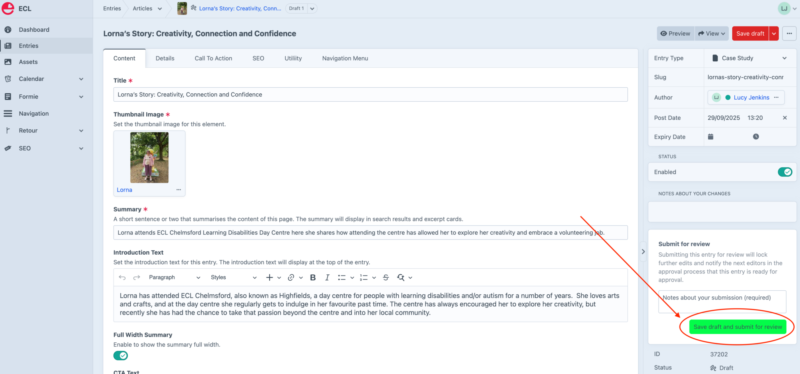
A publisher reviews the changes and either approves and publishes them or rejects them. If approved, the draft is converted into the current live version of the page, replacing the previous version. If rejected, the publisher will explain why so that the editor can address any feedback and then repeat the save draft and submit for review process.
Help & Support
The site's publishers are Maddie Scott and Victoria Milne. If you have any questions you should contact them in the first instance.
For any technical support or to report a bug or a fault with the website you should contact Enovate by emailing their support desk via support@enovate.co.uk.